
Machine reports
A machine report is a daily checklist for a unit, such as a pre-start inspection of a crane or truck. The Machine report tab shows the reports for one day at a time, grouped as Completed and Started. The selected date is shown under the title, marked (today) for the current day.
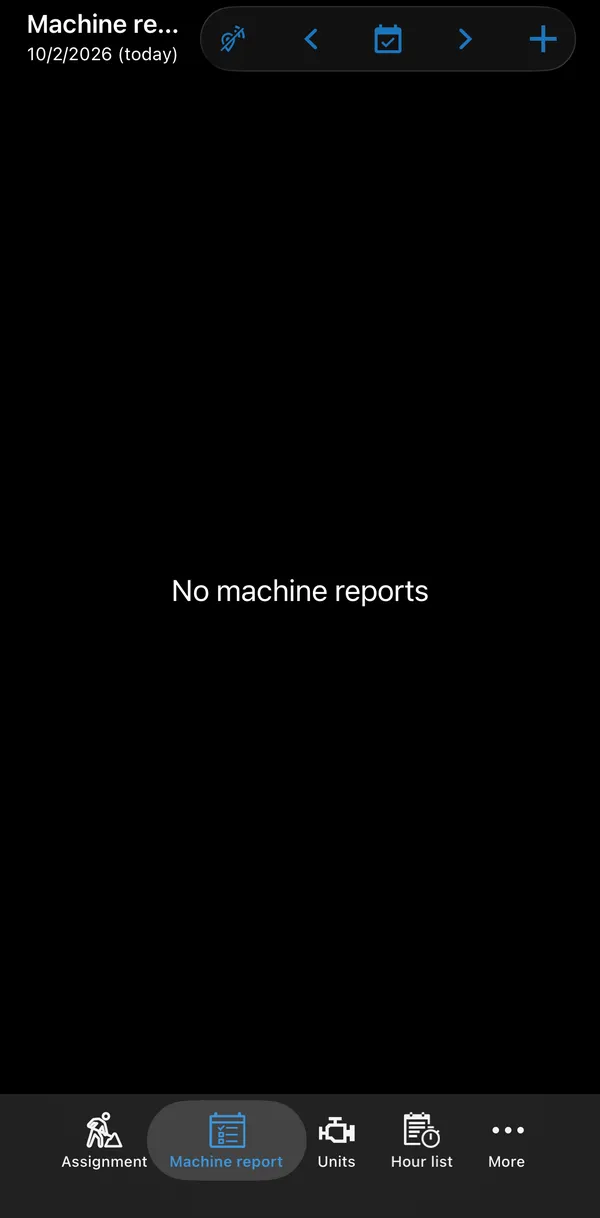
| Button | What it does |
|---|---|
| ‹ and › | Go to the previous or next day. |
| Calendar | Go back to today. |
| + | Create a machine report. |
Tap a report in the list to open it and continue or change it. New reports are only created with +.
Creating a machine report
Section titled “Creating a machine report”- Tap + and pick a template under Machine report templates.
- Choose the unit. If earlier warnings exist for that machine, the app offers to fill them in.
- Answer the questions as in any checklist and complete the report.
An open report has the template’s name as its title, and Completed under it once it is completed. Completed reports can be sent with ⋮ → Send by e-mail.
Reports with warnings
Section titled “Reports with warnings”A completed report can have warnings, in the same way as a checklist. With the ChecklistWarnings permission, such a report is marked with a warning triangle in the list, and the open report shows the banner This checklist has warnings!. Tap the banner to see the warnings.
Required machine reports
Section titled “Required machine reports”Your company can require a machine report before a machine is used. When you activate an assignment whose machine has no completed report for today, the app shows You have to create and complete machine report … for … and opens the report. The assignment is activated once the report is completed.
You can also see all reports for one machine from the unit: Units → unit → ⋮ → Machine Reports for Unit.